AI-powered spend intelligence
Your ERP knows what you paid.
SpendAware tells you everything else.
Upload two exports. In minutes, every vendor is classified, deduped, and enriched — so you finally get a straight answer to the questions your ERP never could.
 The 60-second overview · 1:01
See it in action
Two questions every spend tool has to answer.
The strategy, and the action — SpendAware is built for both. Here's each in about a minute.
 The Spend Cube · ~1 min
What's going on? Your entire spend, sliced any way you need — direct vs. indirect, by sector or your own categories, drillable to a single supplier.
 The Buyer's View · ~1 min
What do I do about it? Every buyer's own book of business — contracts, compliance, and consolidation, with the work already surfaced.
See it work
The full walkthrough — start to finish.
The complete product tour: load your two files, let the AI classify, enrich, and dedupe, build it out your way, and read an analysis written for the seat you sit in. Chaptered, so you can jump to any part.
 The complete walkthrough · chaptered · ~25 min
Short on time?
60-second tours of the pieces that matter
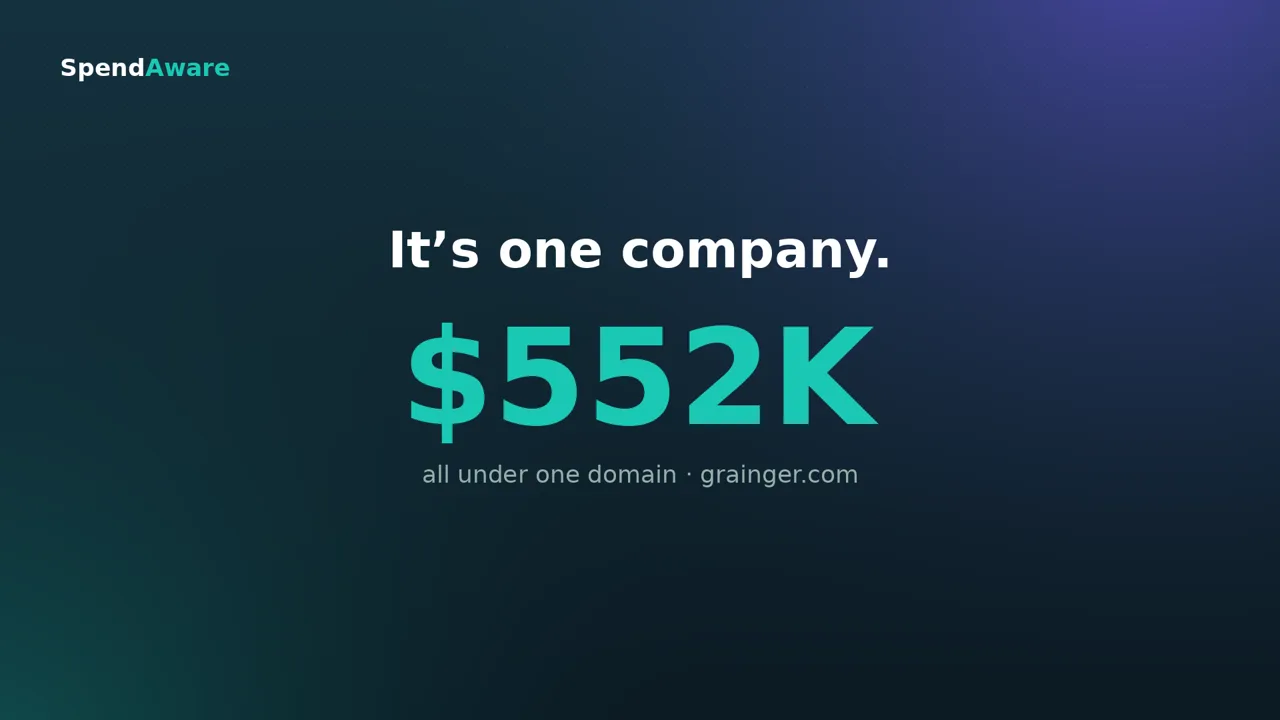 One supplier, four names · 0:57
 Same data, four answers · 0:46
 Your spend categories · 0:40
Fast, not a project
Two spreadsheets to a fully classified spend picture in minutes. The enterprise suites take months. You don't have months.
No IT required
No integration, no data warehouse, no implementation ticket — just the vendor and spend reports your team already runs out of the ERP.
You run it yourself
Sign up, load your data, see your spend. No consultant, no sales call, no six-figure statement of work.
The problem
How much did you spend on IT last year — and with how many suppliers?
If you can't answer that in under a minute, it isn't you. Your ERP records every dollar you paid. It was never built to tell you what you bought, who you really bought it from, or how often that's the same supplier under three different names.
What you get
A clear, shared picture of who you actually buy from.
Not a sourcing suite, not an RFP tool, not an ERP replacement. The context your ERP never had — and the structure to act on it.
The same supplier, under four names.
Grainger shows up four times across three ERPs — "W.W. Grainger Inc," "Grainger Industrial Supply," "WW Grainger," and "Grainger." SpendAware rolls variant names into one true supplier, so your counts, your totals, and your leverage are finally right.
grainger.com · 4 records · 3 systems · 1 company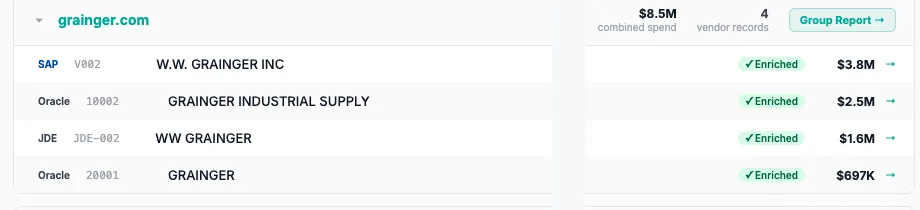
See what's missing before you trust it.
Most tools hide behind a classification percentage. SpendAware shows you the truth: a data-health view of exactly which fields loaded cleanly and which are thin — email at 33%, NAICS at zero — before the AI fills the gaps. You know what you're working with.
Coverage you can actually see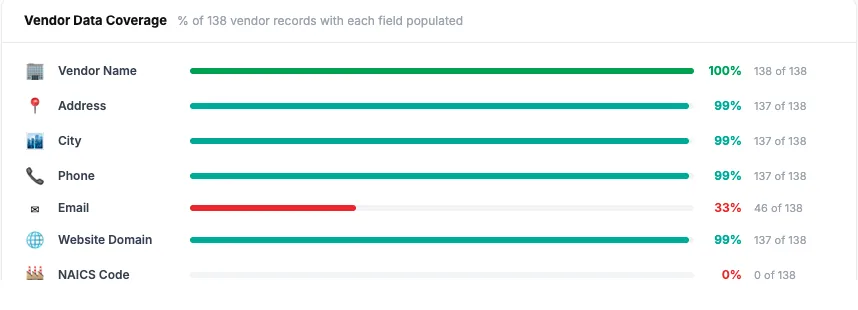
Build your spend cube.
Slice spend by category and commodity, direct versus indirect, and see where it's concentrated and who the dollars really flow to. The analysis an enterprise suite charges six figures for — from two spreadsheets.
87% indirect · 13% direct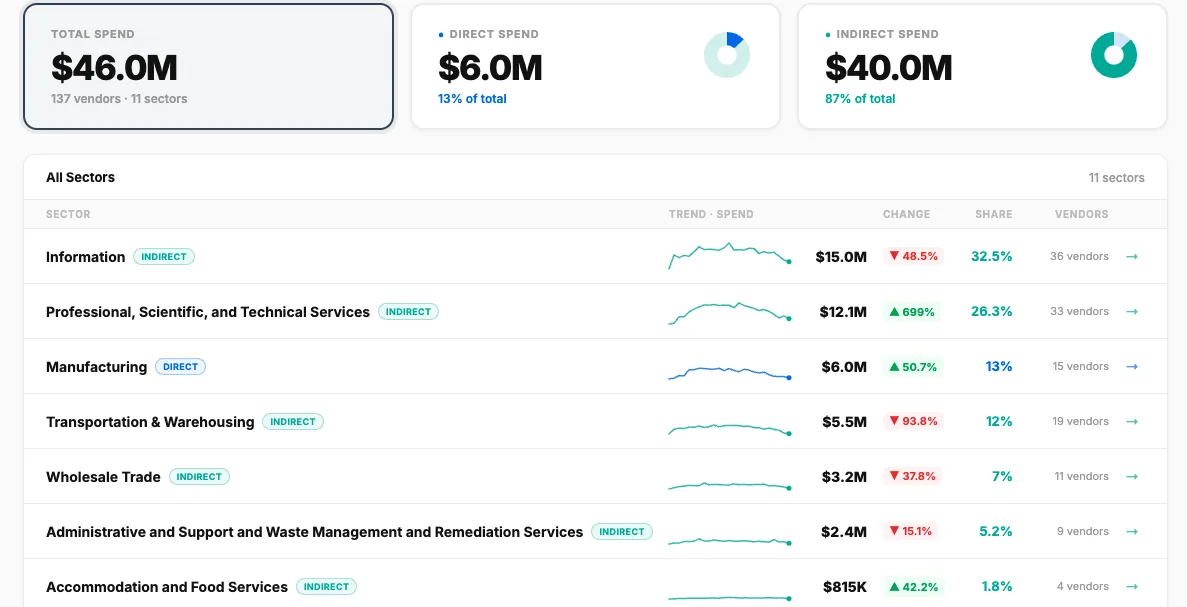
One dataset. Every lens.
Ask the AI for the read you need — procurement, finance, risk, or executive. It writes the analysis to that audience, dollar-anchored and specific: the concentration, the single-source risk, the spend with no contract behind it, and exactly what to do next.
4 lenses · one click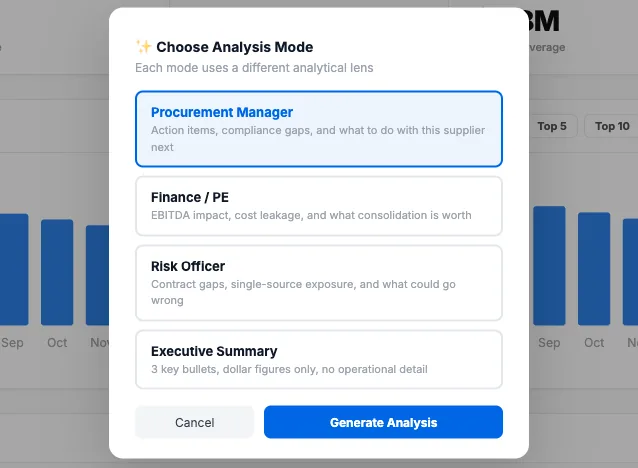
How it works
Three steps. No IT ticket.
If you can export two reports from your ERP, you can run SpendAware yourself.
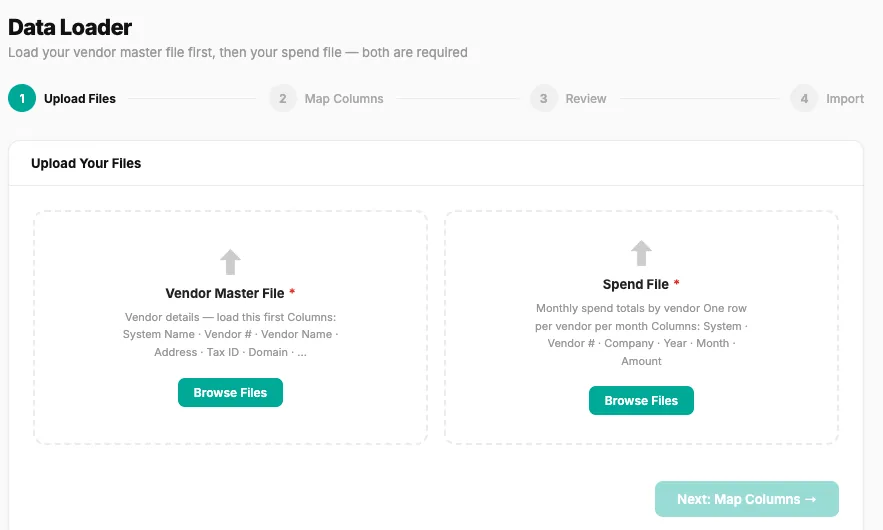
Export two files
Your vendor master and a spend file — the same standard reports your team already pulls. No API, no connector.
Let the AI do the work
It looks up each vendor, assigns a NAICS code, classifies the industry, dedupes variants across systems, and maps everything into your categories — for your review.
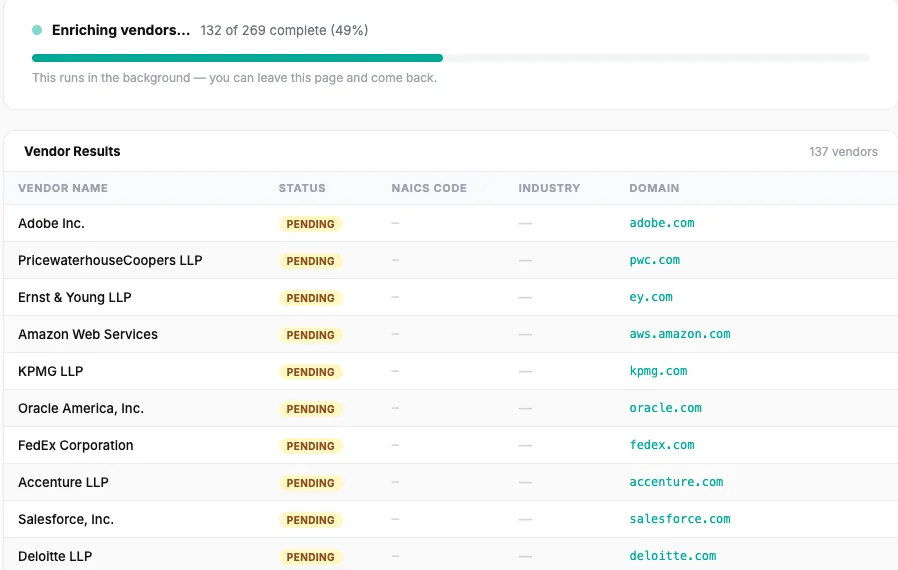
Explore, tag, and share
Drill into any category or vendor, tag what matters, generate an AI insight for the lens you need, and share a report with your team.
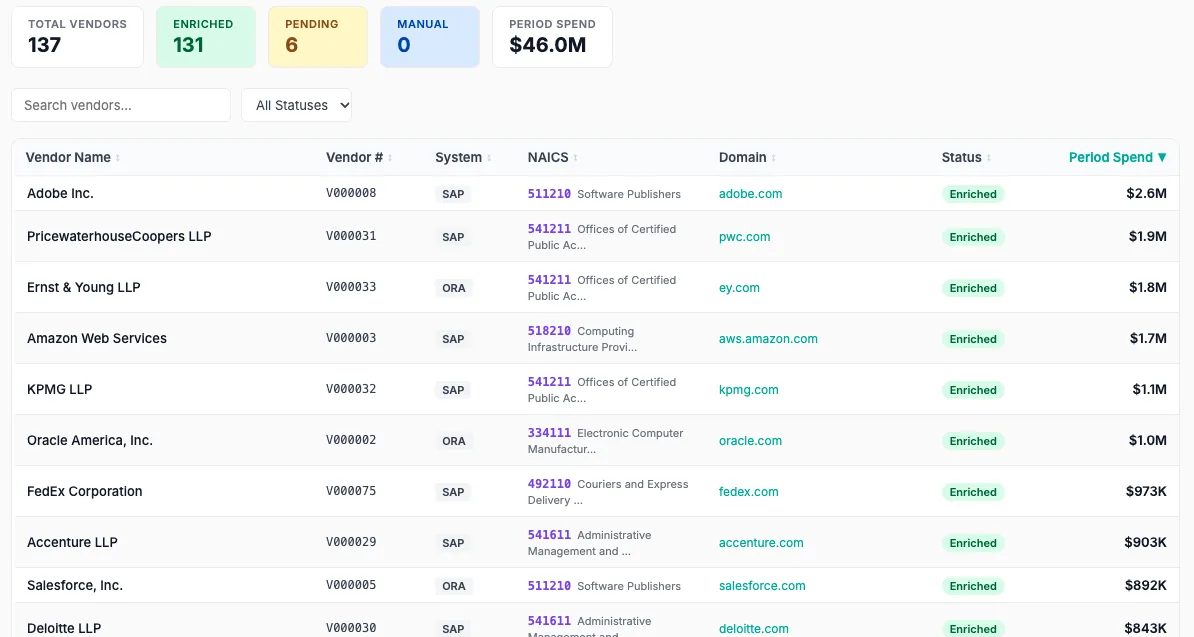
Honest by design
No black box. You see every call the AI makes.
The AI does the heavy lifting, but nothing is hidden. You see what loaded, you review what it decided, and you only pay when it actually works.
The data-health view tells you exactly what's populated and what's thin — before you trust a single number.
The AI does the first pass and flags what it can't place. The final call is always yours.
Enrichment is charged per vendor — and only when we successfully assign a code. If we can't classify a vendor, there's no charge.
◆ The data-health view — exactly what's there, and what isn't.
One product, every seat
The same data, through the lens each person needs.
Pick an analysis mode and the AI writes to that audience — specific, dollar-anchored, and ready to act on.
Action items
Compliance gaps, consolidation plays, and what to do with this supplier next.
Cost leakage
EBITDA impact, uncontrolled spend, and what consolidation is worth.
Exposure
Contract gaps, single-source concentration, and what could go wrong.
Summary
Three key bullets, dollar figures only, no operational detail.
How it compares
Clarity without the consultant.
Enterprise suites gate everything behind a demo and a services contract. Spreadsheets are free, if your time is. SpendAware is the third option.
| Enterprise suite | Spreadsheets | SpendAware | |
|---|---|---|---|
| Time to first insight | Months | Weeks of manual work | Minutes |
| Setup | Implementation project | DIY and fragile | Upload two files |
| IT required | Integration & rollout | None, but all manual | None |
| See pricing before you buy | "Book a demo" | — | On this page |
| Try it yourself | Sales cycle first | n/a | Free, no sales call |
| Vendor classification | Services-led | By hand, if ever | AI — NAICS + your categories |
| Dedupe across ERPs | Sometimes | No | Built in |
| Repeatable each period | Yes, but heavy | No — rebuild every time | Reload and re-run |
| Starting cost | Six figures / year | "Free," paid in time | From $0 |
Pricing
Priced on your vendor count. Shown right here.
Your monthly tier is set by how many vendors you manage. AI enrichment, extra users, and storage are simple add-ons — the calculator shows your true all-in cost, with nothing hidden. Start free with 100 vendors, no credit card.
Every paid plan includes 2 users and 5GB of document storage. AI enrichment is $0.30 per vendor for the first 2,500, then $0.25 — a one-time charge, and only when we successfully find a NAICS code. Extra users $25/mo each; extra storage $10/mo per 10GB. Over 30,000 vendors — let's talk.
Cost calculator
Know your full cost. Nothing hidden.
Enter your numbers and see exactly what you'd pay — monthly plan, extra users, document storage, and the one-time cost to enrich your vendors.
Enrichment is a one-time charge per vendor, billed only when we successfully assign a NAICS code — typically about 80% of vendors, so your real cost usually lands below the max. Storage uses the file size you picked. No setup fees, no implementation cost, no contracts.
See your real spend picture in minutes.
Load one of our demo datasets in a click, then run your own 100 vendors free. No credit card, no IT, no implementation.